Ahorreo turns the statements you already download from your bank into one clear picture: what you earn, what you spend, on what, and what you really own. Everything runs in your browser, with no server, no account and no telemetry.
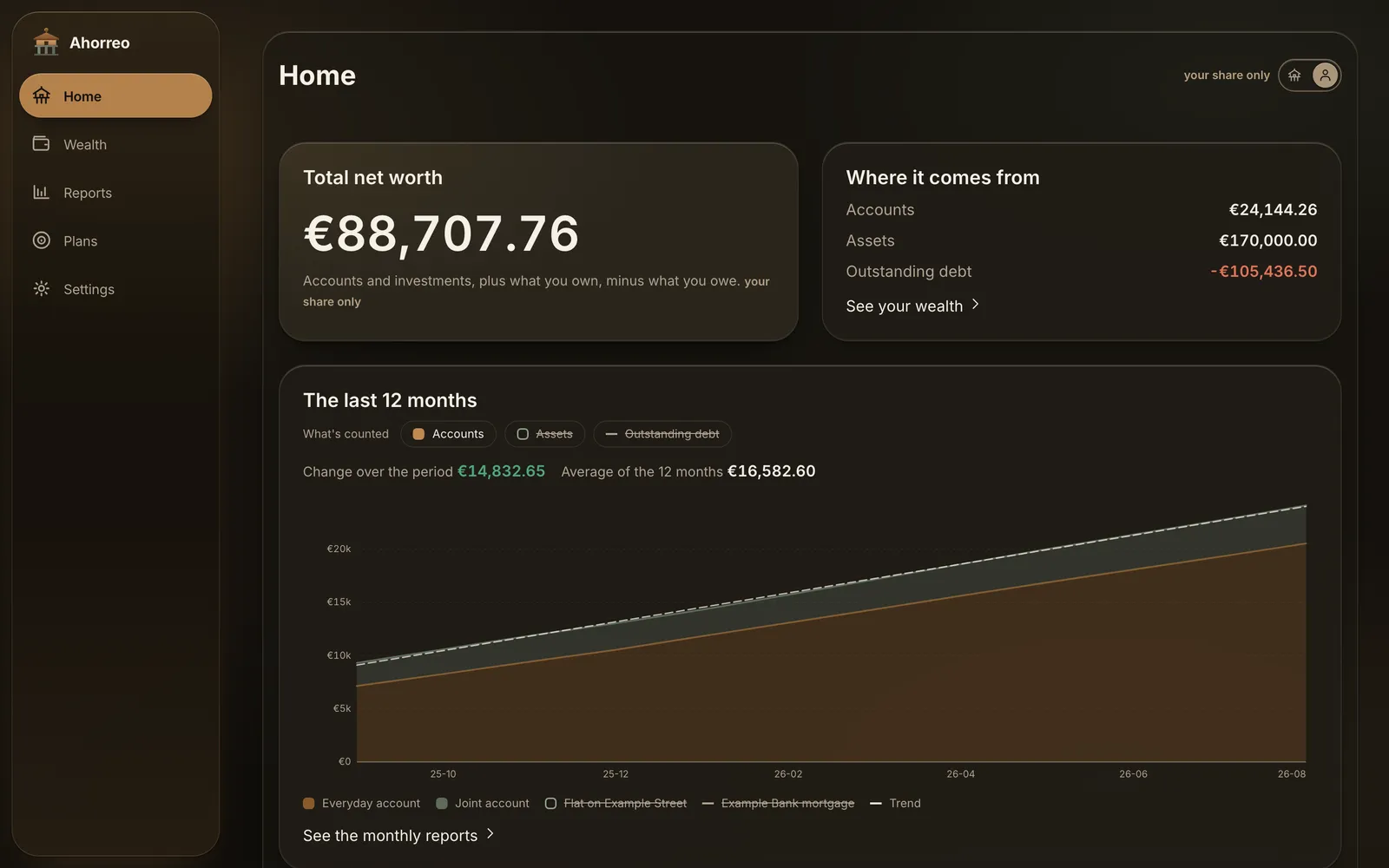
Example figures. A 50% joint account doesn't count in full towards your net worth, and neither does half a mortgage.
Home, showing only your share of what is shared.
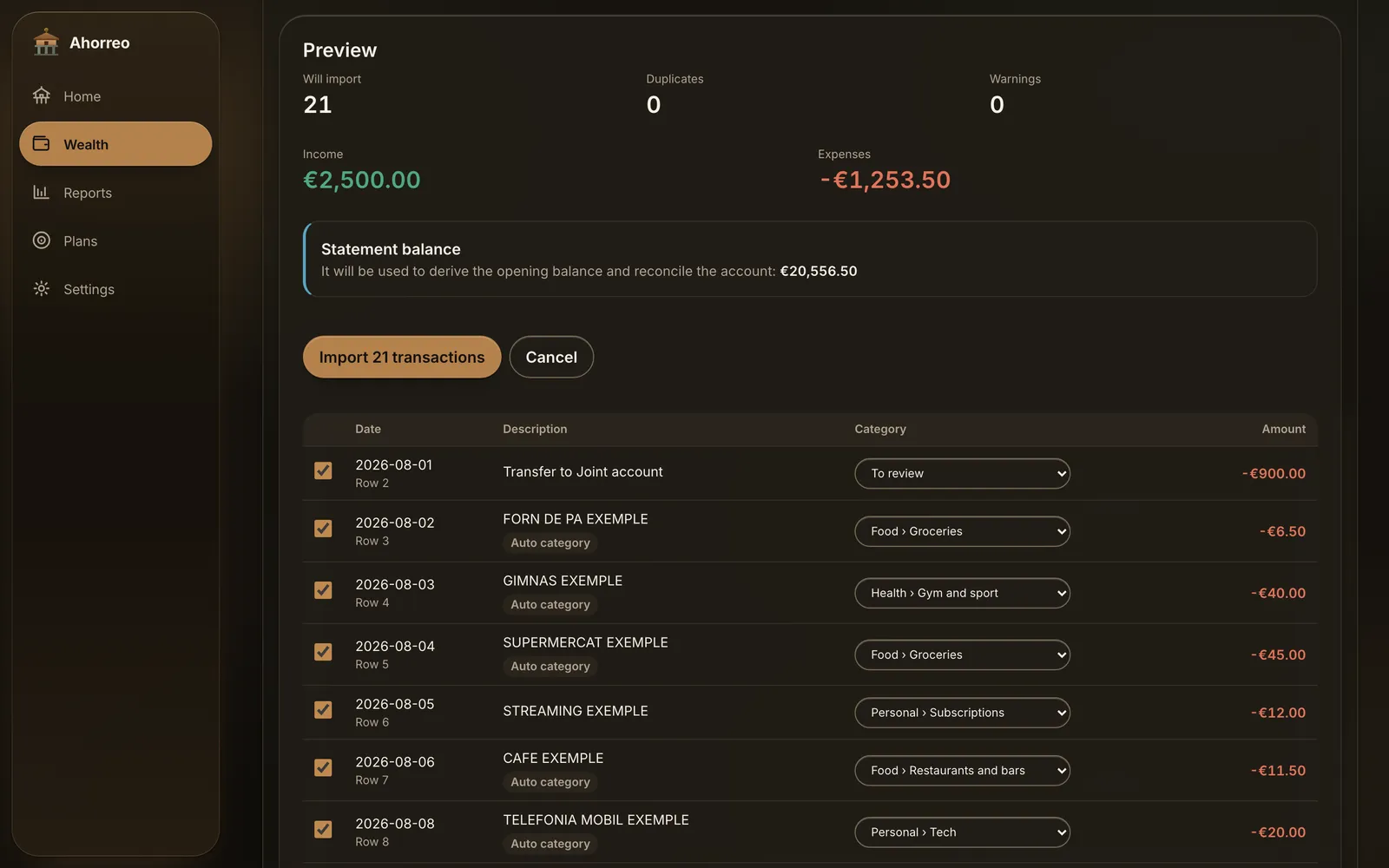
Every import is previewed before anything is saved.
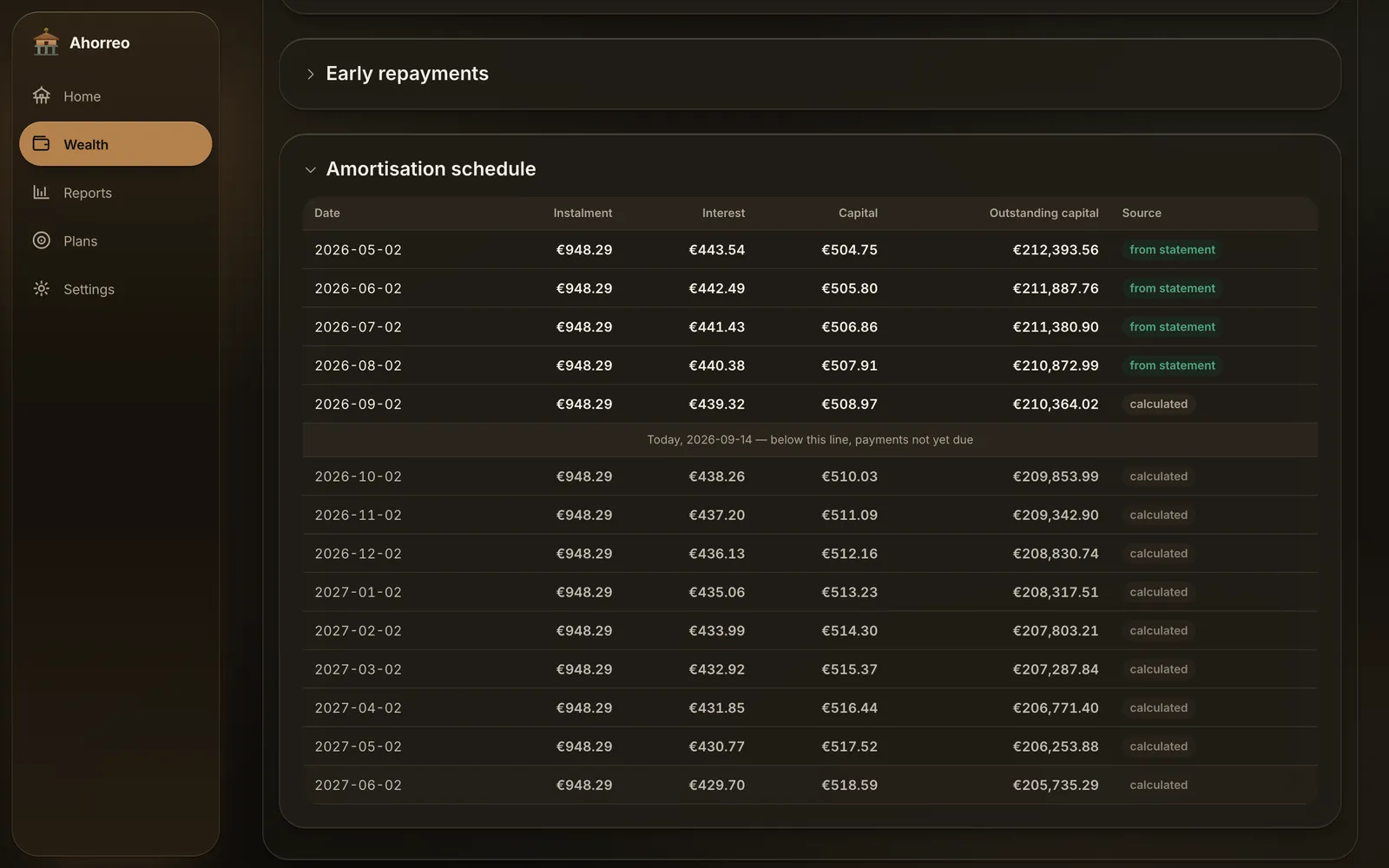
The mortgage, read from its statement and projected forward.
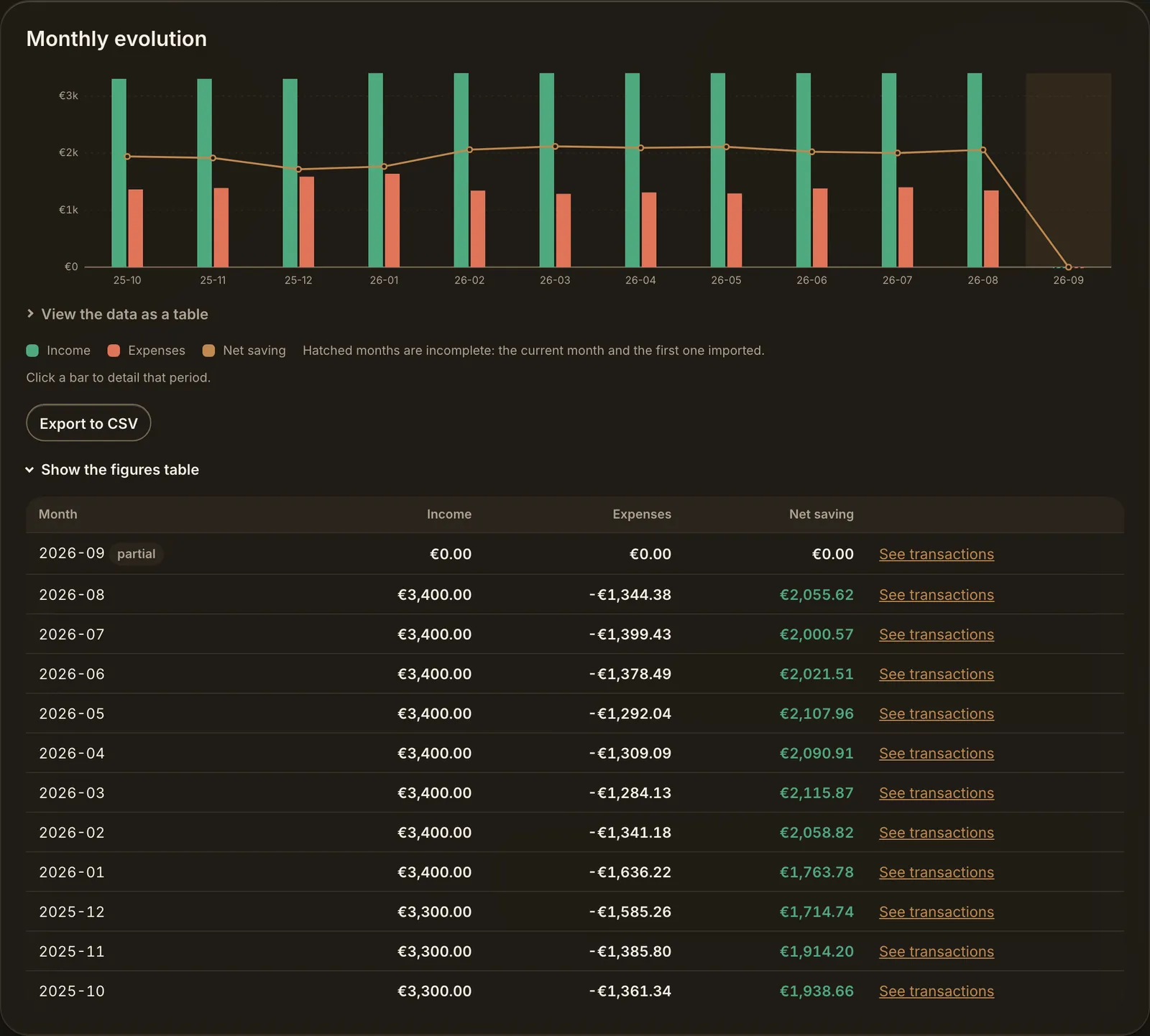
Every chart opens as a table and exports to CSV.
Why we built it
If your money is spread across more than one bank, investment account or pension plan, each one only shows you its own slice. The apps that join them up ask for your bank credentials and copy your transactions to their servers. A spreadsheet works until month three. And summing everything at 100% overstates what is yours as soon as an account, a home or a loan is shared.
We wanted the full picture without any of that, so Ahorreo works from the files banks already let you download, keeps them on your device, and counts only your share of what you own with someone else.
0
Servers holding your data
Any
Bank, auto-detected or mapped
3
Languages
1,900+
Automated tests
Don't take our word for it. Turn off your Wi-Fi.
Ahorreo isn't private because of a policy page — it's private because there is nowhere for your data to go. Open your browser's network tab while you use it, or put your device in airplane mode: everything keeps working except the optional fetch of ECB rates, which is off by default.
No backend at all. Statements are parsed in your browser and stored in IndexedDB on your device.
One optional destination. Public ECB tables for Euribor and exchange rates — off by default, one click per request, and nothing about you is sent.
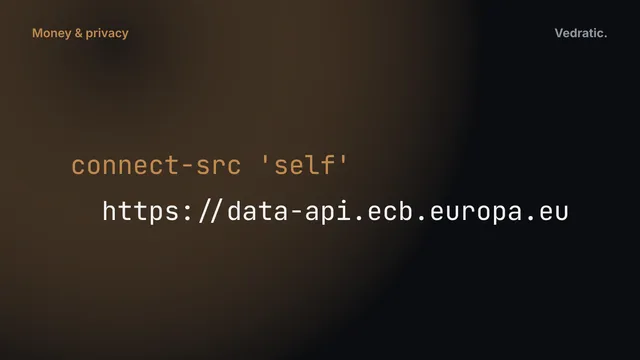
Enforced, not promised. The Content Security Policy blocks every other connection, and an automated test fails if new network code appears anywhere else.
Encrypted backups. A password-protected .ahorreo file you control, with reminders so you never lose your history.
No identity data kept. Payslip parsing drops your ID number, address and social security number on read; the PDF itself is never stored.
Everything between your statements and your net worth
Five sections — Summary, Wealth, Reports, Plans and Settings — and every number comes with the base it's computed on.
Import what your bank gives you
CSV and XLS/XLSX statements. Ahorreo recognises many banks' formats automatically, and for anything it doesn't, you map the columns once by hand. Every import is previewed before it lands — how many rows enter, which are skipped and why — and can be undone in full.
Categories you can trace
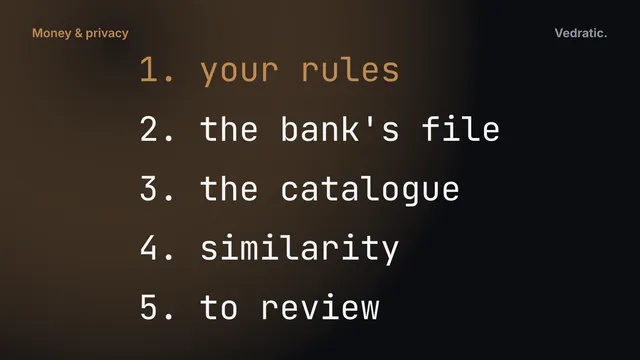
A fixed cascade: your own rules first, then the category in the bank's file, a merchant catalogue and similarity to what you've already classified. Every transaction records whether its category came from you, a rule, the catalogue or similarity, and your corrections are never overwritten.
Transfers and refunds, handled
Moving money between your own accounts isn't spending, so internal transfers are detected and kept out of your totals. Refunds are paired with the charge they undo, so the month of the purchase goes back to zero.
Your share, not the whole thing
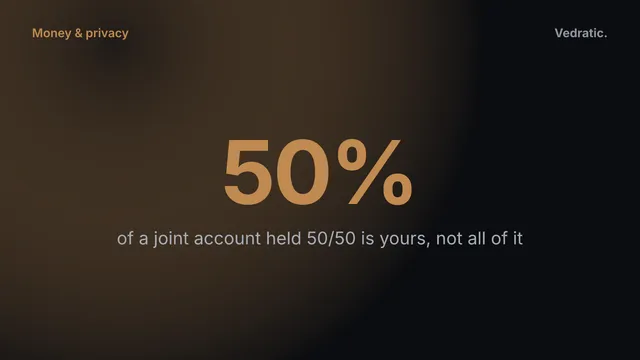
Ownership is a percentage per account, property or loan. A joint account at 50% doesn't count in full towards your net worth, and every screen says whether it's showing the household or your share.
Homes and mortgages
Dated valuations, an amortization schedule computed — and, if you import the statement, read — plus rate reviews, early repayments and three Euribor scenarios side by side. Only the interest is an expense; the capital just changes place. To try the numbers without importing anything, use the mortgage calculator, built on the same formulas.
Investment portfolio
Positions at average cost, buys, sells, transfers and income, prices on a single screen, and returns shown with the base they're computed on. Broker cash is kept apart from what the positions are worth.
Payslips that check themselves
Read a text PDF payslip or enter it by hand. Contributions are checked against their base, gross against net, and the net pay against the deposit in your bank. Identity data is discarded on read and the PDF is never stored.
Budgets and savings goals
Per-category budgets with a traffic light through the month and rollover of what you didn't spend, a proposal built from your own history, savings goals that can track an account, and detected subscriptions with their yearly cost.
Reports you can open
Income and spending over time, net worth broken down, savings rate, category composition and period comparisons. Every chart comes with its table and a CSV export: a figure you can't open is a figure you can't check.
From a statement to a clear month
Ahorreo is useful from the very first file. No set-up wizard to finish before you see a number.
Download your statement
Export the CSV or Excel file your bank already offers from its website or app. No credentials, no connections, no third party in between.
Drop it on its account
Each statement goes onto the account or loan it belongs to. Ahorreo detects the bank and format and shows a preview: rows in, rows skipped and why, currency and target account. The opening balance is derived from the statement itself — you don't type it in.
Review what it worked out
Duplicates are caught even when you upload the same file twice — and genuine twin charges can be readmitted one by one. Transfers between your accounts are matched, refunds are paired, and each transaction gets a category you can trace back to its source.
Read your month — and your years
See income, spending, savings rate and net worth over time, switch between the household and your share, and open any chart as a table or CSV. Report state lives in the URL, so a view you're looking at can be bookmarked.
Keep it safe
Save an encrypted .ahorreo backup, or link a live file that saves itself. Inside a folder you already sync, it follows you to your other devices without the app ever going online.
Why a granary?
An hórreo is the raised granary of Galicia and Asturias, where the harvest was stored to last the winter. It stands on stone pillars topped with flat slabs so that rats can't climb in.
Keep what you've gathered, and protect it: that's exactly what Ahorreo does with your money. And where a real hórreo carries a cross on its ridge, ours carries a euro.
What we learned
Money is an integer. Every amount is stored in whole cents, and adding two currencies without an explicit, dated conversion is an error, not a warning. Why money should never be a float.
Privacy has to be testable. "We don't send your data" is a promise; a Content Security Policy that blocks every other destination, and a test that fails when new network code appears, are something you can check. Privacy you can test.
A transaction has two dates. A salary paid on 1 March usually belongs to February. Ahorreo keeps the bank's date and the period the money belongs to apart. Booking date vs accrual period.
Limitations
What Ahorreo doesn't do, so you can decide before you start.
No bank connections. Open banking needs a backend, your credentials and a licence; you download the statement and drop it in instead.
No cloud sync and no accounts. Your own synced folder can carry the backup file between devices, but Ahorreo itself never goes online to do it.
If you lose your device or clear your browser without a backup, your data is gone. There is no copy anywhere else to restore from.
No tax filing. Ahorreo reads what was withheld on your payslip; it doesn't compute what should have been.
No investment advice. It shows positions and returns with the base they are computed on; the decisions stay yours.
Frequently Asked Questions
Are my bank statements uploaded anywhere?
No. Files are parsed in your browser and stored in your browser's IndexedDB. Ahorreo has no backend to send them to. You can check it yourself: open your browser's network tab while you import, or switch your device to airplane mode — the app keeps working.
Which banks does Ahorreo support?
Ahorreo reads the CSV and Excel statements of many banks automatically, detecting the bank and the file format on its own. If yours isn't recognised, you map its columns by hand — date, description, amount, balance — and import it all the same, whatever the encoding or decimal separator.
What if I upload the same statement twice?
Nothing is duplicated. Ahorreo uses the bank's own transaction ID when the file has one, and a stable fingerprint when it doesn't. Likely duplicates are set aside rather than deleted, so two genuine identical charges on the same day can be readmitted one by one. Every import can also be undone in full.
Does Ahorreo connect to my bank?
No, and it never asks for your bank credentials. Open-banking connections require a server and a licence, which would contradict the whole point. You download the statement from your bank and drop it into the account it belongs to.
Does it make any network request at all?
Only one kind, and it's off by default: fetching public Euribor and exchange-rate tables from the European Central Bank, and only when you click to do so. Nothing about you is sent. The production Content Security Policy blocks every other destination.
What happens if I lose my device or clear my browser?
Without a cloud, losing data is the main risk, so Ahorreo is insistent about backups: a password-encrypted .ahorreo file you can restore anywhere. You can also link a live file on disk that saves itself as you work.
Can I use it on more than one device?
Yes, through your own files. On browsers that can save to a live file, put the .ahorreo file in a folder you already sync (iCloud Drive, Dropbox, a network share…) and it reaches your other devices without the app making a single request. The file records who wrote it last, so Ahorreo warns you instead of silently overwriting.
Can I share it with my partner?
There are no user accounts to share. Instead, joint accounts, homes and loans carry an ownership percentage, and a household / my share switch lets you see either view. A shared pot shows who put in how much and what was paid from it.
Does Ahorreo give financial or tax advice?
No. It shows you your own numbers, with the base each figure is computed on. It reads the tax withheld on your payslip but never calculates what should be withheld, and it doesn't make investment recommendations.
Which languages and devices does it support?
The interface is available in English, Spanish and Catalan, with language and currency picked up from your browser. It's an installable PWA that works offline on desktop and mobile, with light and dark themes.
How Ahorreo categorises every imported transaction with a fixed order of rules on your device, says who decided each one, and never undoes your corrections.
A privacy policy is a promise. A Content Security Policy, an automated network test and an opt-in switch are enforcement. How Ahorreo makes 'your data never leaves your device' something you can verify.
A salary paid on March 1st belongs to February, and a card purchase on March 28th is March spending even if it's charged in April. How Ahorreo separates the bank's date from the month a transaction belongs to.
A joint account at 50% shouldn't count in full towards your net worth. How Ahorreo models ownership as a percentage on accounts, homes and mortgages — and why every figure needs to say which base it's on.