Categorising bank transactions without a server
When you import a bank statement into Ahorreo, every row needs a category before the month means anything. “COMPRA TARJ. SUPER EXEMPLE” has to become Groceries, a toll has to become Tolls, and the transfer to your savings account has to stop counting as spending.
Categorising on a server, with what many users’ purchases have in common, was never an option: Ahorreo has no server. We also didn’t want it: a category you can’t explain is a category you can’t fix. What Ahorreo does instead is ask a short list of questions, always in the same order, and write down which one gave the answer.
The order it asks in
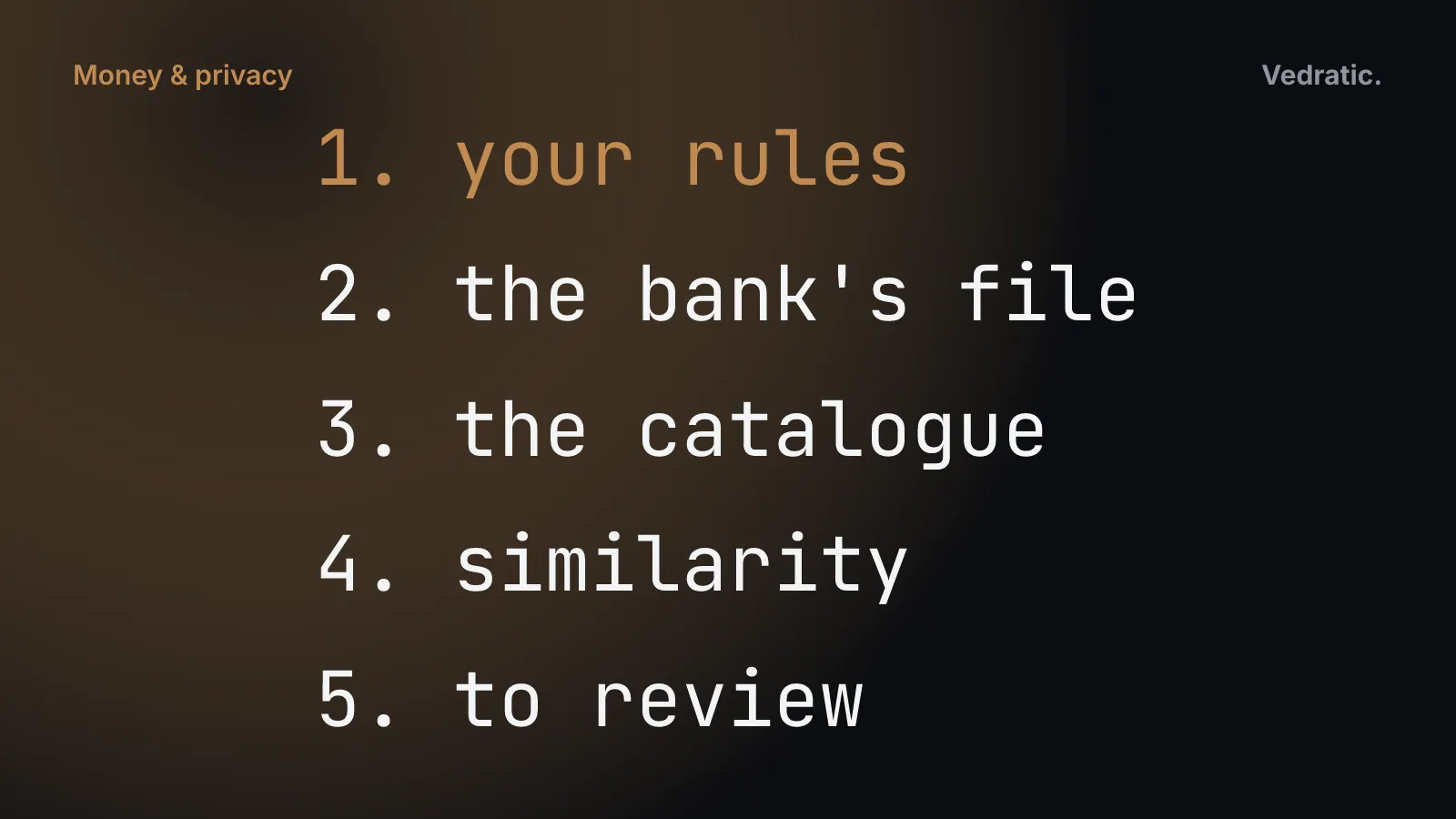
For each transaction, Ahorreo tries these in turn and stops at the first one that has an answer:
- Your rules. The ones you wrote on the Rules screen, and the ones Ahorreo learned from your corrections. They always win.
- What the file says. Some banks put their own category in the statement (“Supermercados y alimentación”), and some of our importers know what a particular bank’s descriptions mean. That is knowledge about the file, not a guess about the text, so it comes before our catalogue.
- The catalogue. A built-in list of merchants and concepts common in Spain: 57 groups and about 1,200 keywords (supermarkets, utilities, tolls, pharmacies and so on).
- Similarity. If you already put a transaction from the same merchant in a category, a new one from that merchant goes there too.
- Nobody knows. The transaction goes to To review. It is counted and shown, not hidden and not guessed.
The order is the whole design. Your decisions come first because you know things the app can’t. The bank’s own label comes before our catalogue because it was written by someone who saw the actual payment. The catalogue comes before similarity because a keyword like a supermarket’s name is more reliable than “you did something like this once”. And when all four have nothing to say, the honest answer is “I don’t know”.
In the code this is a single function. Simplified from src/domain/categorize/engine.ts:
export function categorise(item, userRules, similarity) {
  const userRule = firstMatch(userRules, item);
  if (userRule) return { categoryId: userRule.setCategoryId, source: 'user-rule' };

  if (item.parserCategoryId) return { categoryId: item.parserCategoryId, source: 'catalog-rule' };

  const mapped = SOURCE_CATEGORY_MAP[normaliseForFingerprint(item.sourceCategory ?? '')];
  if (mapped) return { categoryId: mapped, source: 'catalog-rule' };

  const catalogRule = firstMatch(CATALOG_RULES, item);
  if (catalogRule) return { categoryId: catalogRule.setCategoryId, source: 'catalog-rule' };

  const similar = similarity.get(normaliseForFingerprint(item.counterparty ?? item.rawDescription));
  if (similar) return { categoryId: similar, source: 'similarity' };

  return { categoryId: undefined, source: 'none' };
}
It runs on your device, like the rest of the app. The test suite gives it a budget: reading and categorising a 5,000-row statement has to finish in under three seconds.
Every transaction says who decided
Next to its category, each transaction stores where the category came from. There are five possible values: you, by hand; one of your rules; the catalogue (which includes what the file said); similarity; or nobody. That field is what the rest of the app relies on.
In the transaction list, a category you set, or one of your rules set, carries a Yours label. A category that one of your rules set can be expanded to show the rule. We added that mark because a category from a rule is different from one you chose: if you edit the rule tomorrow, that row will change, and the one you set by hand won’t. Without the mark the two looked the same.
The Rules screen works the same way in reverse. Each rule shows the transactions it currently holds, and before you save a new rule you can press Test the rule and see which existing transactions it would catch. The count shown and the list behind it come from the same function, so they can’t disagree.
Corrections are never overwritten
This is the part that matters most to anyone who has used a finance app for more than a month. You fix a category, the app re-runs its logic later, and your fix is gone.
In Ahorreo, changing a category by hand marks that transaction as yours, and nothing automatic touches it again:
- When you correct one, Ahorreo asks: Should I remember this for “SUPER EXEMPLE” and apply it to past transactions? The question says how many other transactions it would change (“It will also apply to 10 transactions you already have”), so you’re not agreeing blind. You can answer Just this transaction.
- A rule learned this way gets priority 1,000. Catalogue rules sit at 100 to 130, so a correction of yours always beats the catalogue.
- Applying a new rule to the past skips every transaction you set by hand. A new rule doesn’t undo old corrections.
- Reprocess, which runs the whole cascade over your history again after you’ve changed rules, skips hand-set transactions too, and says how many it left alone: “40 keep the category you set yourself”.
- Reprocessing never takes a category away. If the cascade finds no answer for a transaction that already has one, the existing category stays. An earlier version cleared those, and losing information is never a better result.
What it gets wrong
A fixed list of rules makes predictable mistakes. These are the ones we know about.
A keyword can appear inside something else. Toll charges from one Catalan motorway operator arrive as “AUCAT BAR SORTIDA”, because the bank abbreviates Barcelona as “BAR”. The catalogue’s restaurant group contains “bar”, so the toll was filed as Restaurants and bars. We fixed that case by breaking ties in favour of the longer match (“aucat” beats “bar”), but the general problem remains: a keyword is a guess about text, and some guesses will be wrong until you write a rule.
Bank categories are someone else’s labels. When a bank calls a row “Gasto Bizum”, all Ahorreo can do is file it under Other spending, because the label says nothing about what you paid for. And if a bank files something in the wrong category, every row like it arrives wrong until one of your rules says otherwise.
Similarity is literal. It compares the cleaned-up merchant name exactly, it isn’t fuzzy. If a merchant’s name changes between statements, the new name isn’t recognised. It also learns only from what you or your rules decided, never from the catalogue’s guesses. That is deliberate, because copying guesses spreads mistakes, but it means similarity helps less at the beginning.
Reprocessing can’t re-read the file. What an importer knows about a bank’s descriptions applies when the file is imported. Once the statement is in the database the file is gone: reprocessing still has the bank’s category, which is saved with each transaction, but not the importer. Anything only the importer recognised has to be in the catalogue as well, or old transactions can’t be repaired.
The catalogue is Spanish. It knows merchants, utilities and bank wording common in Spain. Elsewhere, more transactions go to To review and you’ll write more rules.
Rules take more work at the start than a model would. The first import leaves a To review list, and you go through it. In exchange, every category has a reason you can see and change, and your purchase history stays on your device.
The same idea runs through the rest of Ahorreo: shared accounts that say whose share a figure is, and payslips that have to add up before they’re saved. How the “stays on your device” part is enforced is in Privacy you can test. The Ahorreo page has the rest.
This article explains how our software works and the maths behind it. It is not financial, tax or legal advice: for decisions about your own money, check with a qualified professional.