Decoding symbols: how Write mode works in Globdrop's flag game
Globdrop’s flag scenarios have two ways to answer. In Test mode you pick one of four options. In Write mode you type the name. This post is about Write mode: what the code does between your first keystroke and the score, and where it’s stricter than you’d expect. The player’s view of the flag scenarios is in Introducing Flag Mode. How the same code behaves across six interface languages is in Type-to-answer in six languages.
A round
When you start a flag game, FlagGameEngine.startGame in src/engine/flag-engine.ts loads the scenario’s list (world.json, europe.json, spain.json or fun.json) and filters it by difficulty. Easy keeps the easy flags, Medium keeps easy and medium, and Hard keeps all of them. That filtered list is the pool. The game shuffles it and takes the first ten as the questions.
Each round lasts 15 seconds. A correct answer scores 100 points plus a speed bonus, and a wrong one scores zero:
private calculateScore(timeRemaining: number): number {
  // 100 points base for correct answer + up to 100 extra points for fast answer
  // Max time is 15 seconds, so timeRemaining ratio is: timeRemaining / 15
  const timeBonus = Math.round((timeRemaining / 15) * 100);
  return 100 + timeBonus;
}
Test mode and Write mode score the same. The difference is only in how you answer.
The suggestion list
In Write mode the screen shows the flag, a text box and a Submit button. The box has the browser’s own autocomplete turned off (autocomplete="off") and uses a list of its own, built in src/components/flag-ui-renderer.ts:
const normQuery = normalizeText(val);
suggestions = autocompletePool.filter(name =>
  normalizeText(name).includes(normQuery)
).slice(0, 5); // Limit to 5 suggestions
A few details follow from those lines:
- The suggestions come from the whole pool, not from the ten flags in play. On Hard with the world set, that’s all 74 names, so the list doesn’t give the answer away.
- They match anywhere in the name. In English, on Hard with the world set, typing
landmatches seven names, from New Zealand to Iceland, because the match isincludes, not “starts with”. Only the first five are shown. - You get at most five, in file order. There’s no ranking. The first five matches in the order they appear in the JSON file are the ones you see.
- Names are shown in your language, as far as the data allows. The pool is built with
getLocalized, which picks the current interface language and falls back to English.
The arrow keys move through the list and copy the highlighted name into the box. A click on a suggestion does the same. Escape closes the list. Enter submits whatever is in the box. It doesn’t pick the first suggestion for you, so if you’ve typed fin and press Enter, the answer is fin, and it’s wrong.
How an answer is checked
When you submit, handleTextAnswer normalises your text and compares it with every accepted answer for the flag, in every language the data has, not just yours. The normaliser is in src/engine/text.ts, and the suggestion list uses the same one:
export function normalizeText(text: string): string {
  return text
    .normalize('NFKC')
    .toLowerCase()
    .normalize('NFD')
    .replace(/[\u0300-\u036f]/g, '')
    .replace(/[\u064b-\u065f\u0670]/g, '')
    .replace(/[-‐‑–—]/g, ' ')
    .replace(/[.'’`]/g, '')
    .replace(/\s+/g, ' ')
    .trim();
}
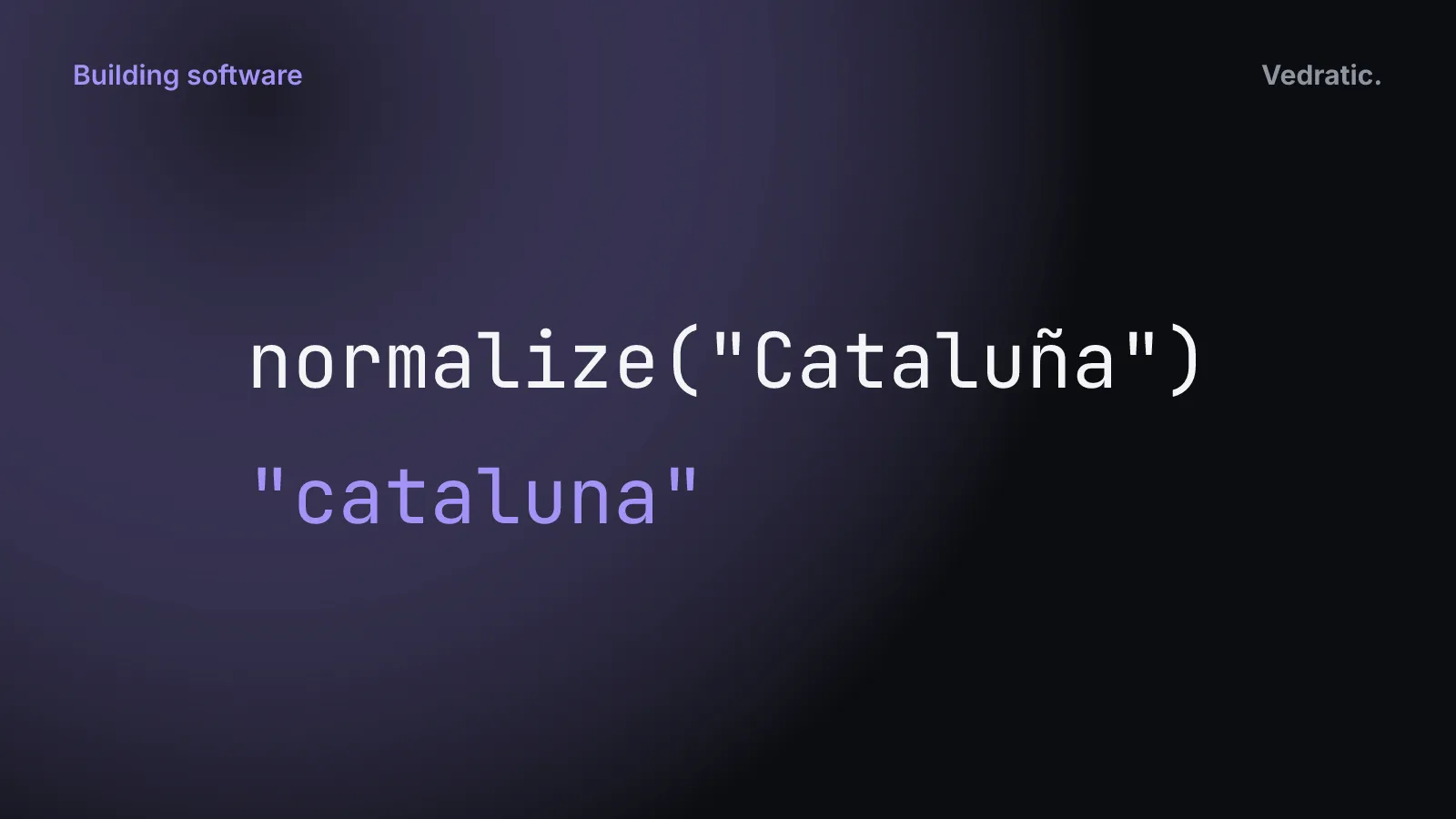
It folds full-width letters (NFKC), lower-cases, splits accented letters into a base letter plus a combining mark (NFD) and deletes the marks, turns hyphens into spaces, drops dots and apostrophes, and collapses spaces. So Japón becomes japon, Mèxic becomes mexic, and Castilla-La Mancha becomes castilla la mancha.
The accepted answers are the flag’s names in Catalan, Spanish and English, each side of a name with a bracket (“United Nations (UN)” gives “United Nations” and “UN”), and any aliases in the flag file, such as USA or Euskadi. The answer is right if the normalised text is exactly equal to one of them. For the Catalan flag, that’s anything that normalises to catalunya, cataluna or catalonia.
Until late September 2026 the normaliser had only four steps (lower case, trim, NFD, drop the marks), there were no aliases, and the engine and the suggestion list each had their own copy. The table below shows what changed.
Catalunya and Cataluña
An earlier version of this post said that normalisation makes “Catalunya” and “Cataluña” match each other. It doesn’t: catalunya and cataluna are different strings. Both are accepted because both names are stored in spain.json, one as the Catalan name and one as the Spanish. Normalisation only takes care of the tilde, so Cataluna, typed without it, also counts. A spelling that isn’t in the data, like Catalunia, is wrong.
What it accepts and what it doesn’t
We checked these against the real flag files and the real function:
| Typed | Flag | Before | Now | Why |
|---|---|---|---|---|
CATALUÑA | Catalonia | Right | Right | Case, the tilde and the outer spaces are all removed |
Sudafrica | South Africa | Right | Right | Matches the Spanish Sudáfrica without its accent |
Gales | Wales | Right | Right | It’s the Spanish name |
Castilla La Mancha | Castile-La Mancha | Wrong | Right | Hyphens now count as spaces |
South Africa | South Africa | Wrong | Right | Inner spaces are collapsed |
United Nations | United Nations | Wrong | Right | The part before the bracket is accepted |
USA, UK | United States, United Kingdom | Wrong | Right | They’re aliases in world.json |
Bandera de l’Orgull Trans, curly apostrophe | Transgender Pride Flag | Wrong | Right | The data has a straight apostrophe; both kinds are now dropped |
Galles | Wales | Wrong | Wrong | The Catalan name is Gal·les, and the middle dot isn’t removed |
Catalunia | Catalonia | Wrong | Wrong | It isn’t any stored spelling |
The suggestion list is still the safest way to answer, since picking a suggestion copies the stored name exactly.
In Chinese, Arabic and Japanese
The interface has six languages, but flag names have three. In Chinese, Arabic or Japanese the placeholder asks you in that language to type a country name, and the suggestions appear in English, because that’s the fallback. An answer typed in Chinese characters is always wrong, because there’s no Chinese name to compare it with. Typing the English, Spanish or Catalan name works. Type-to-answer in six languages goes through what that means for each script.
Tests, and no CI
The flag engine has eight Vitest tests in tests/unit/flag-engine.test.ts. They run against a mocked list of six Spanish regions and check the empty session, the easy and medium pools, that Test mode offers four options including the right one, the scoring (200 points with 15 seconds left, 100 with none), and that fun.json is loaded for the Fun scenario. The Write mode test uses the Catalan flag and checks Catalunya, catalunya, Cataluña and cataluna as right and Andorra as wrong; a newer one checks an alias and an empty answer. The normaliser has its own tests in tests/unit/text.test.ts, one per case it handles.
Across the repo there are 53 tests in five files, and they all pass. There is no continuous integration. The repo has no .github/workflows folder or any other CI configuration, so the tests run when someone runs npm test, and nothing runs them on each push.
When we first wrote this post, normalizeText existed twice, once in the engine and once in the renderer, with nothing keeping the copies the same. There is one now. The rejections in the table still have no test of their own, so a change that made the check looser would pass the suite unnoticed.
To try it, open Globdrop, pick a flag scenario and choose Write. How to play covers the rest of the game.